
Save the Coggle App to your Homescreen
To launch Coggle as a full-screen app on your phone, you can save it to your home screen as a progressive app:
- From the URL bar, choose the share icon
- Swipe up to reveal the 'Add to Home Screen' option
- Tap 'Add':
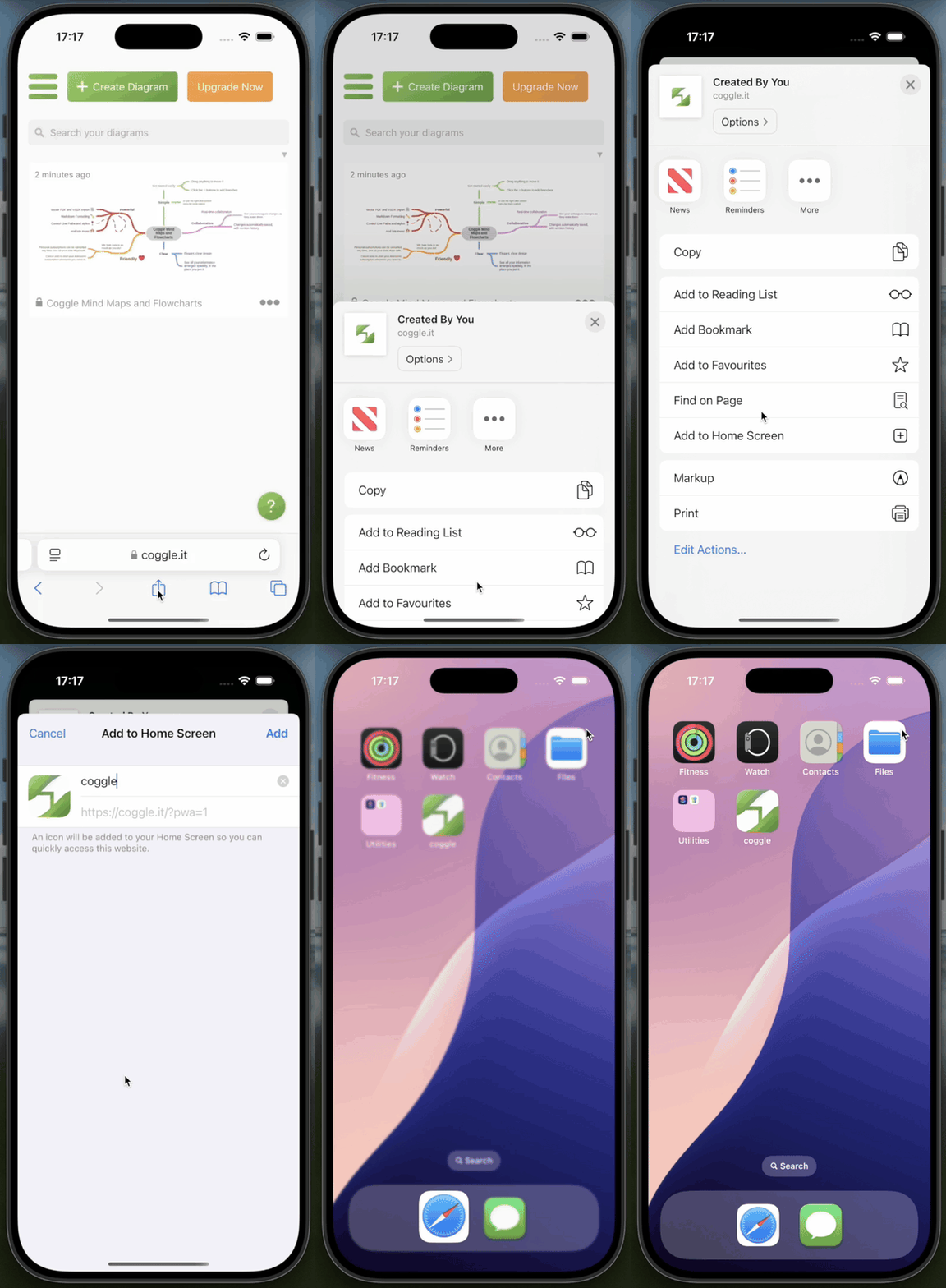
To open the Coggle app, just use the icon saved to your homescreen, and enjoy seamless full-screen Coggling!