
Add a Passkey to your Account
A passkey is the most secure way to sign in to your Coggle account. The passkey is stored securely by your device, browser, or by a FIDO2 usb key. It allows you to log in by securely proving that you have the passkey, instead of remembering a password, or confirming a code sent to your email address.
Passkeys in Coggle are available for free, for any accounts, regardless of any other sign-in methods used.
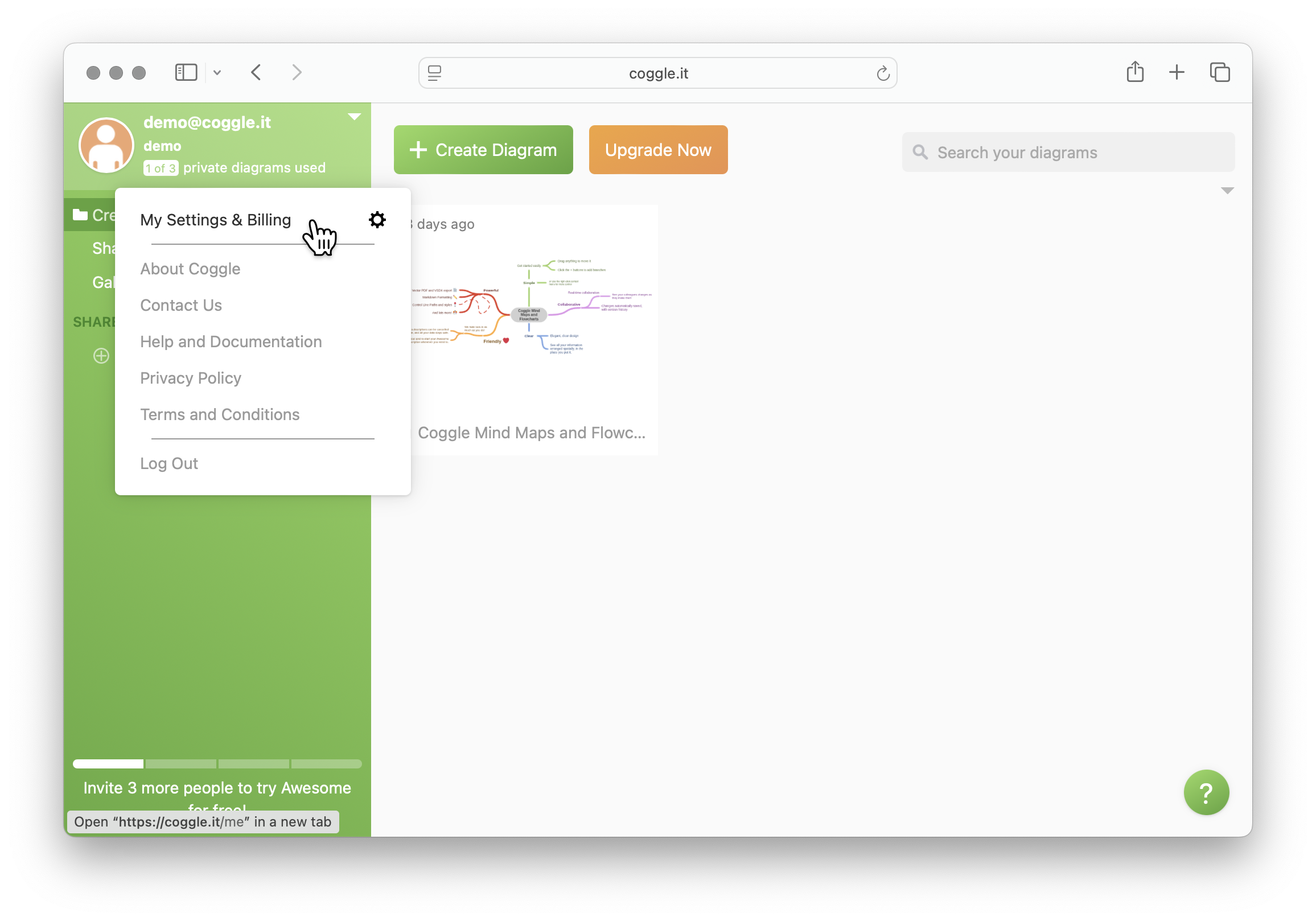
To add a passkey, first go to your settings:
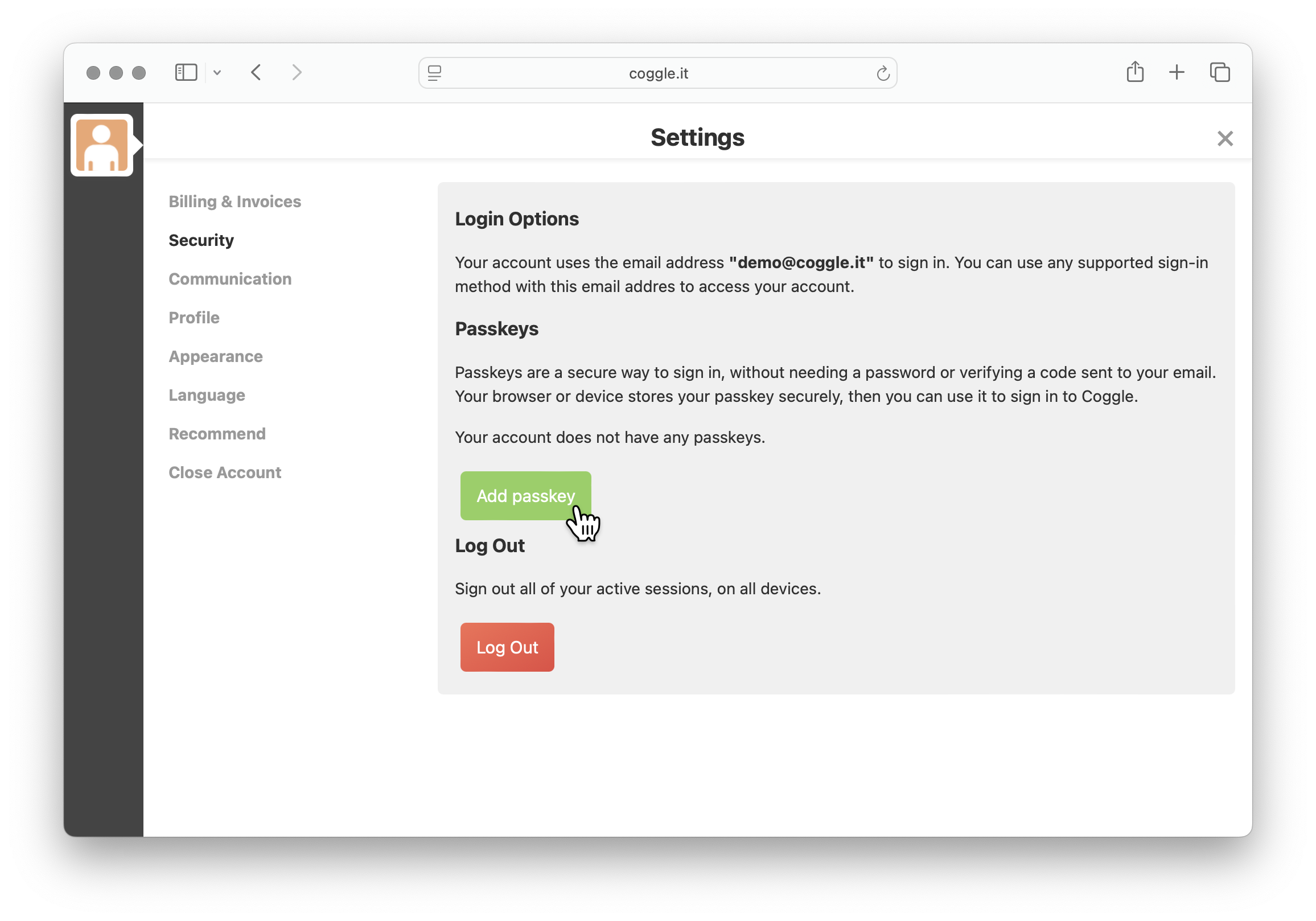
Then choose 'Add passkey' in the security section:
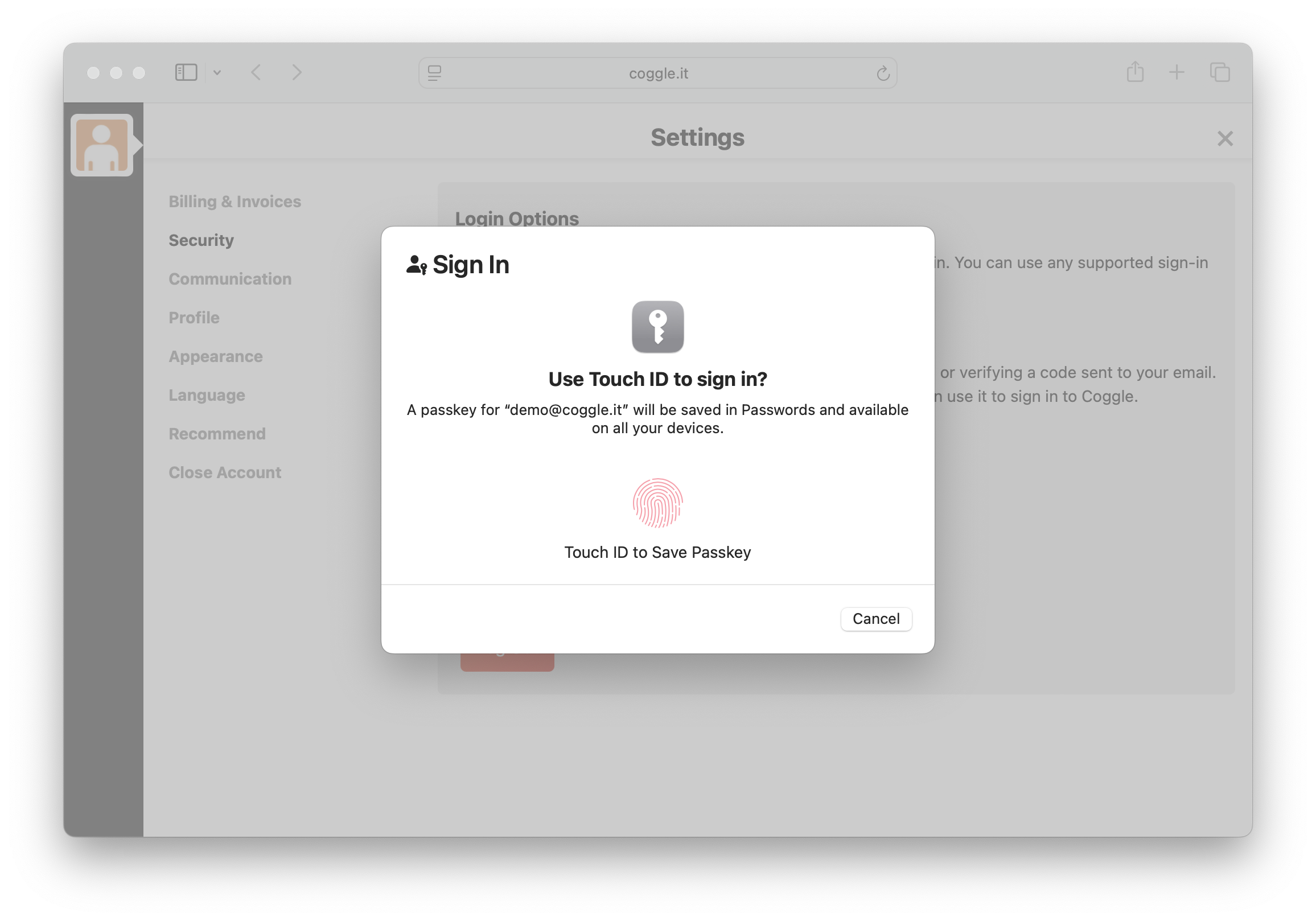
Depending on the passkeys supported by your device, you will see a different example to confirm the passkey registration:
You can add and manage multiple passkeys for different devices from the same page. For security, you will receive an email whenever a new passkey is added to your device.
To sign in using a passkey, choose the 'sign in by email' option on the login page. Your browser will offer to use your passkey when you click on the email field, or after completing your email address.